

Best HDMI Cables for Crisp 4K Video and Reliable Audio
2026-11-16
A great HDMI cable rarely gets the credit it deserves—until a 4K signal starts flickering or your audio cuts out mid-scene. The difference between a frustrating movie night and a clean, dependable setup often comes down to the cable behind your console or inside the wall. That’s why we put together this list of the best HDMI cables for crisp 4K video and reliable audio, focusing on options that actually handle the bandwidth without the marketing fluff. Along the way, EBCYX keeps showing up as a brand worth a closer look for setups where stability matters as much as picture quality.
Why 4K Resolution Pushes Ordinary HDMI Cables to Their Limits
Most people assume a cable either works or it doesn't. With 4K, that assumption starts to fall apart. A typical 1080p signal asks for around 4.45 Gbps of bandwidth, but a 4K signal at 60Hz can demand anywhere from 12 to 18 Gbps depending on chroma subsampling and color depth. That jump forces the twisted pairs inside an ordinary HDMI cable to carry frequencies far beyond what they were originally designed to handle cleanly.
When the frequency climbs, small manufacturing flaws become visible on screen. A cable that looked perfect on a 1080p TV may suddenly produce sparkles, dropouts, or a blank screen at 4K. The issue is rarely the connector itself; it is the cumulative effect of impedance mismatches, thin conductors, and loose shielding. At lower resolutions these defects stay below the threshold of perception, but 4K uses the cable so aggressively that the margin for error shrinks to almost nothing.
Length makes the problem worse. A six-foot cable may get by, while the same construction at fifteen feet fails outright. That is why "high speed" or "premium high speed" ratings exist: they are not marketing labels for sharper colors, but indicators that the cable has been built or tested to survive the tighter timing and higher frequencies that 4K requires.
HDMI 2.1 and 48Gbps Specs That Keep the Picture Rock Solid
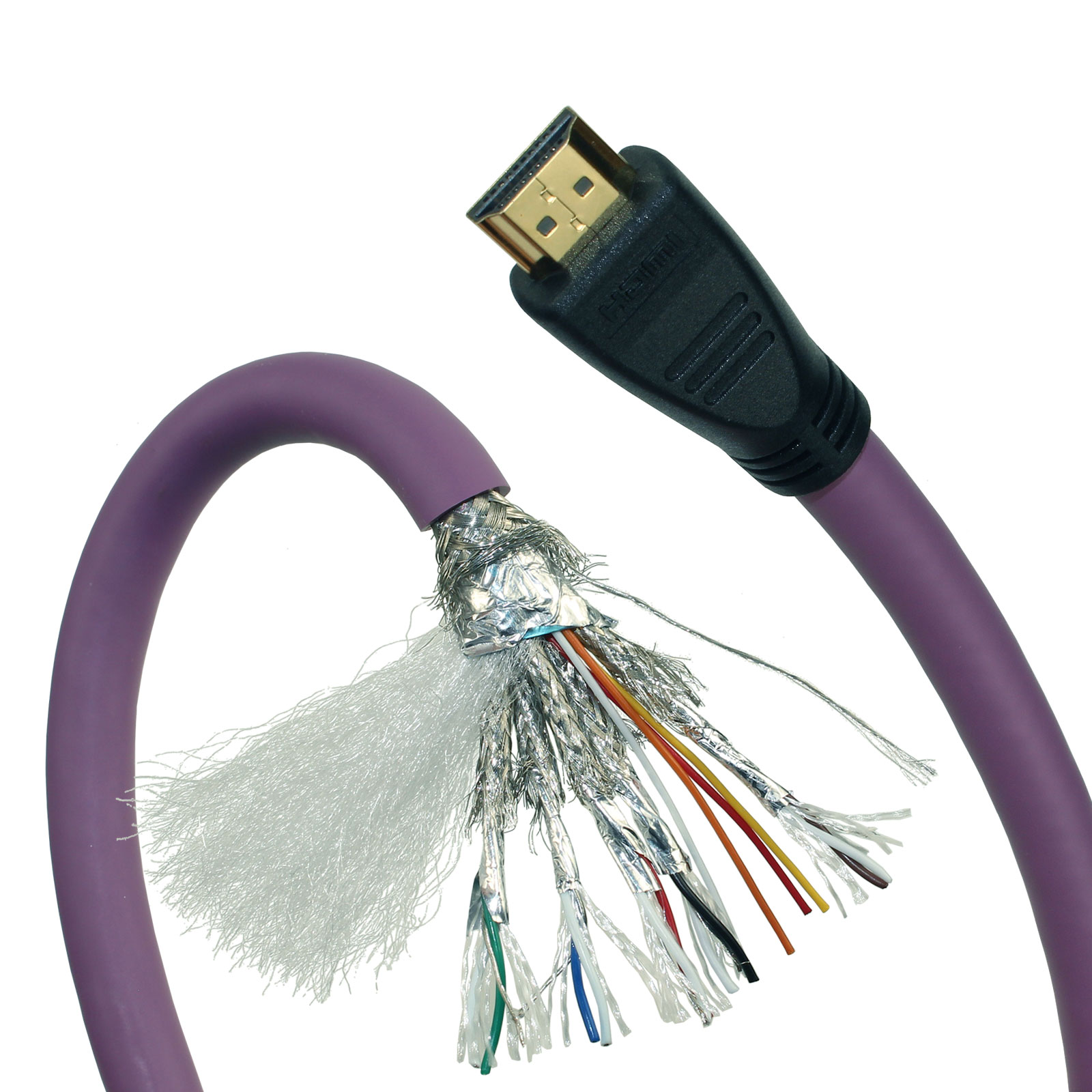
The jump to HDMI 2.1 isn't just a spec sheet bump—it's the first time a single cable can push 48Gbps without breaking a sweat. That bandwidth clears the way for 4K at 120Hz, and even 8K at 60Hz, with room left over for deep color and uncompressed audio. You notice it most in fast panning shots: edges stay sharp, motion stays fluid, and there's no visible compression shimmer sneaking into the highlights.
What often gets overlooked is how that extra headroom changes cable behavior. Older HDMI versions leave almost no margin for signal loss over longer runs, so even a slightly bent connector or a cheap internal wire can trigger flickers or dropouts. With 48Gbps rated HDMI 2.1 gear, the tolerance is tighter on paper but the implementation is sturdier—better shielding, better equalization, and a handshake that actually holds firm when you switch between a console, a PC, and a streaming box.
For anyone tired of “no signal” moments mid-movie or during ranked matches, this is the underrated fix. A certified 48Gbps cable paired with HDMI 2.1 ports doesn't just future-proof your setup—it removes the small signal gremlins that cheaper HDMI 2.0 chains tend to accumulate. The picture stays locked, the audio doesn't stutter, and you stop thinking about the connection entirely. That's the real win.
eARC and Audio Return for Theater Sound Without Extra Wires
Most home theater setups used to treat the TV as a video-only endpoint, which meant running a separate optical or coaxial cable back to the receiver for sound. eARC changes that by letting the HDMI cable carry high-resolution audio from the TV's built-in apps and connected sources straight to the sound system. The result is one less cable behind the wall and a much cleaner rack.
The step up from standard ARC to eARC matters more than the extra letter suggests. Older ARC could handle compressed surround formats, but it struggled with the bitrate needed for Dolby TrueHD, DTS-HD Master Audio, and object-based mixes like Dolby Atmos. With eARC, those formats pass through intact, so streaming boxes, game consoles, and TV apps deliver the same audio quality as a direct connection to the receiver.
There is also a practical side to eARC that goes beyond raw bandwidth. It improves lip-sync correction by allowing compatible devices to share timing information automatically, and it reduces the need to switch inputs on the receiver just to hear the TV's own audio. For a living room theater or a clean media wall, that means the surround sound stays out of sight without forcing a compromise in audio quality.
Shielding, Connectors, and Cable Lengths That Survive Daily Use
Most failures happen where the cable meets reality, not on a test bench. Braided copper shielding handles the kind of twisting that happens when a cord gets shoved into a bag or wrapped around a power brick. Foil may measure fine on day one, but it cracks after enough flexing. You want connectors with molded strain relief that extends far enough past the joint, plus contacts that stay tight after hundreds of plug cycles.
Cable length matters more than it seems. Extra slack feels convenient until it gets pinched under a chair or coiled into a knot that stresses the conductors. A shorter run with a mild service loop near the connector avoids both signal loss and mechanical damage. Look for lengths that let the cable rest without pulling on either port, because that constant tension is what eventually loosens solder joints and degrades the ground connection.
Gaming, HDR, and High Refresh Rates Put Your HDMI to the Test
High refresh rate gaming exposes HDMI cable weaknesses that 4K video rarely does. A monitor running at 144Hz or 240Hz can show intermittent black screens, flickering, or signal dropouts long before the same cable fails during desktop use. Swapping in a shorter, known-good HDMI 2.1 cable is often the quickest way to separate a connection problem from a display or GPU fault.
HDR raises the stakes because it adds metadata and higher peak brightness that leave less margin for signal degradation. A cable may handle standard dynamic range without issue, then produce washed-out colors or brief flashes the moment HDR is turned on. In those cases, the connection is usually a more likely culprit than the panel.
Running high refresh rates and HDR together pushes HDMI close to its bandwidth ceiling, which makes cable length far more important. A passive cable that works fine at six feet can become unreliable at ten or fifteen feet, especially with 4K 120Hz content. Testing with the shortest certified cable you have can quickly reveal whether the fault is the source, the display, or simply a link that cannot keep up.
Subtle Signs Your HDMI Cable Is Sabotaging Picture and Sound
You might not think a digital cable can fail halfway, but HDMI doesn't always die in dramatic fashion. Watch for faint white speckles drifting across dark scenes, a quick audio drop when the refrigerator kicks on, or colors that seem slightly washed out compared to yesterday. These glitches often get blamed on the source device, yet swapping the cable clears them up instantly.
Another quiet red flag is the handshake stutter. If your screen goes black for two or three seconds when you switch inputs or start a game, the cable may be struggling to maintain the data lanes. You may also notice the TV reporting 1080p instead of 4K, or HDR badges disappearing from the on-screen menu, even though nothing changed in the settings.
Sound problems can be especially sneaky. A compromised cable might produce a faint crackle only during loud bass passages, or center-channel dialogue that drifts slightly out of sync. Before blaming your receiver or streaming box, run the most stable content you own and listen with headphones. If the disruptions persist across sources, the cable is usually the cheapest part of the chain to test.
FAQ
Look for Ultra High Speed HDMI certification and 48Gbps bandwidth. Keep copper runs under about 6 feet unless you go fiber optic. That combination handles 4K/120, HDR, and VRR without signal loss.
Not in the way people often expect. Digital signals either get there or they don't. You are mainly paying for build quality, shielding, connector durability, and certified bandwidth, not for sharper pixels.
If you only stream movies at 4K/60, HDMI 2.0 is fine. For gaming at 4K/120, or using eARC for high-bitrate audio formats, you should get HDMI 2.1.
Copper cables usually stay reliable up to about 10 to 15 feet for full 48Gbps bandwidth. Beyond that, an active or fiber optic HDMI cable is the safer choice.
Yes, a single cable carries both. Dolby Atmos and other object-based audio formats travel over the same HDMI connection, often through eARC from your TV to a soundbar or receiver.
Braiding mostly affects durability and feel, not signal quality. If cables get moved often or run along sharp edges, a braided jacket helps protect them.
The official HDMI certification label includes a scannable code. Scanning it verifies that the cable was tested for its advertised speed, which helps you avoid uncertified or counterfeit cables.
Fiber optic HDMI is the safer bet for runs over 20 feet. It is more fragile than copper, but it handles 4K HDR reliably over long distances where copper tends to lose signal.
Conclusion
Most people blame their display or source device when 4K footage stutters or audio drops out, but the cable in between is often the weakest link. A 4K signal at high frame rates pushes ordinary HDMI cables to their limits because the data stream is far denser than 1080p ever demanded. That is why HDMI 2.1 certification with full 48Gbps throughput matters more than the version number printed on the jacket. It keeps handshake failures and sparkle artifacts from creeping into dark scenes. Meanwhile eARC removes the need for a separate optical cable by sending uncompressed object-based audio back to a soundbar or receiver, so the cable has to handle both directions without crosstalk or timing errors. A well-built cable makes those transitions feel invisible.
Build quality becomes critical once a cable is tucked behind furniture or repeatedly plugged and unplugged. Gold-plated connectors are less important than snug strain relief and dense shielding that rejects interference from power bricks and Wi-Fi routers. For longer runs, thicker copper and active signal boosters prevent the signal from degrading before it reaches the screen. Gaming adds another layer of stress: 4K at 120Hz with HDR and VRR demands stable bandwidth well beyond a standard 18Gbps cable. When a cable starts to fail, the warning signs are subtle — intermittent black screens, audio that drops for a split second, or color banding that appears only in high-contrast scenes. Swapping in a certified 48Gbps HDMI cable often fixes problems that feel like a dying TV or console.
Contact Us
Contact Person: David Yang
Email: [email protected]
Tel/WhatsApp: 8615814734054
Website: https://www.ebcyx.com/